
We needed to migrate 23 settings pages from a legacy layout to a new v2 layout system. Each page lived in its own package, had its own tests, and needed to work in both the old and new theme simultaneously. The kind of work that's straightforward but tedious — and where mistakes compound fast.
We used Claude Code, git worktrees, and a markdown recipe. This is what worked and what didn't.
The Problem
Our application has a micro-frontend architecture — 14+ packages, each with their own views, tests, and i18n setup. We were rolling out a v2 design system, and 23 settings pages needed to switch from the old layout wrapper to the new Layouts.SideNavPage component.
The catch: v1 and v2 had to coexist. Every page needed a theme gate — render the old layout for v1 users, the new one for v2 users. And every existing test had to keep passing in both themes.
The migration per page was mechanical:
1. Read the view and its tests
2. Add a v2 code path with the new layout, keeping v1 untouched
3. Fix lint, type errors, and test failures
4. Verify e2e tests pass in both themes
Multiply that by 23, across 14 packages, and you have at least a week (maybe more) of repetitive work. Or a workflow problem worth solving. We gave ourselves 48 hours as an experiment — no guarantees on how many pages we'd get through. If we'd only managed 4, that would still have been 4 pages we didn't have to do manually.
The Approach
Scoping the work
We're in the middle of a UI refresh — revisiting the entire application's interface while keeping the current version live for users. The v1/v2 coexistence is what makes this possible: a theme gate renders the old layout for v1 users and the new one for v2, so every page can be migrated independently without breaking the live product.
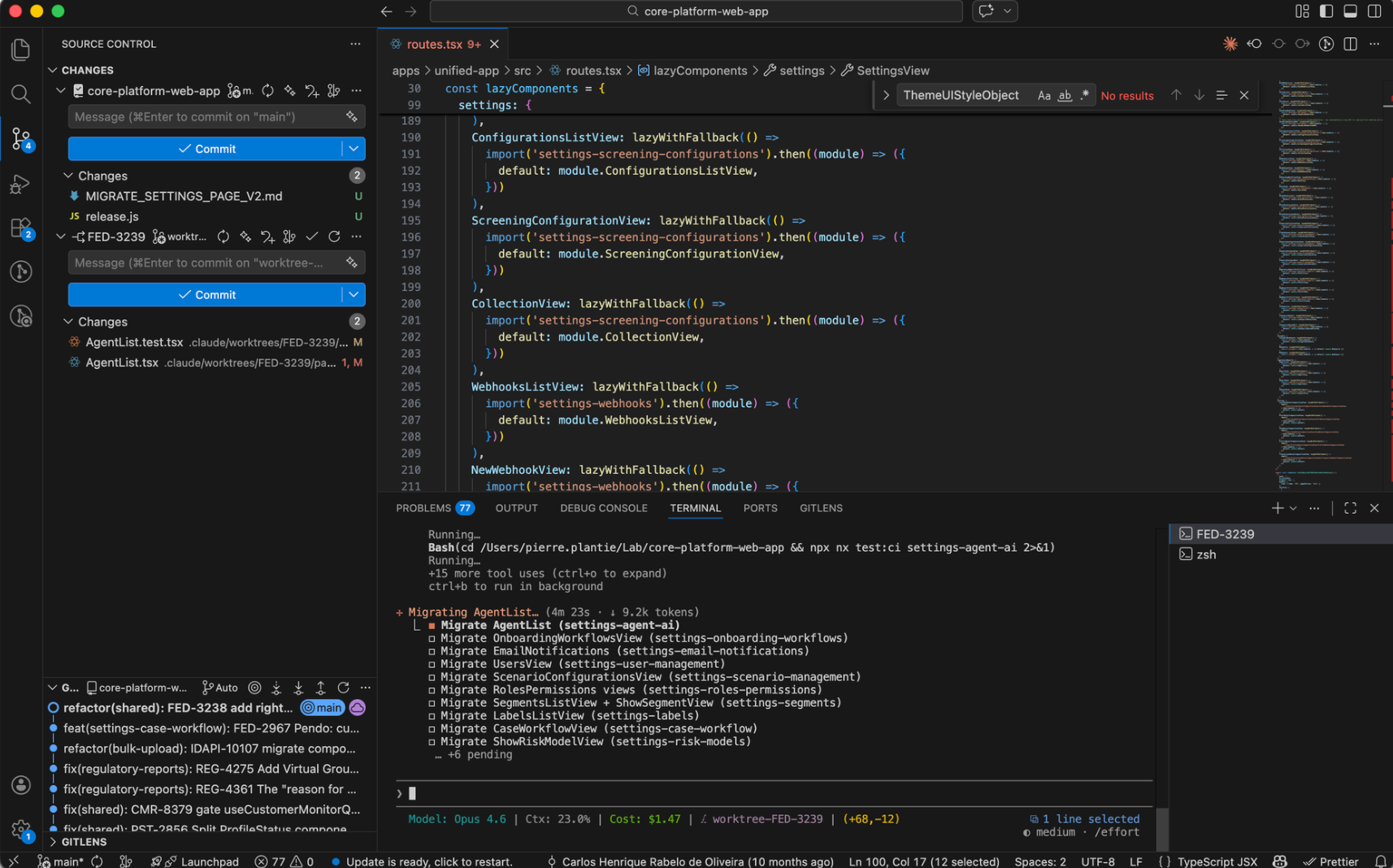
We used Claude Code to explore the codebase and identify every view that needed migrating. It searched for layout usage patterns across all packages and produced a list of 25 views grouped by package. We reviewed that list, agreed on the order, and turned each page into a task item in Claude Code's built-in task list.
Start with two, then write the recipe
We didn't jump straight into automation. Before the 48-hour timebox, we had already built the new SideNavPageLayout component and migrated the first two pages by hand — one with a right panel, one without — because the new layout supports an optional rightPanel slot and we needed to understand both variants. What imports change. What breaks. Where the theme gate goes.
From those two pages, we wrote a markdown recipe: a step-by-step file that described exactly how to migrate a settings page. The recipe looked roughly like this:
# Migrate Settings Page to v2 Layout

## Steps
1. Read the view file and its test file
2. Add a v2 code path gated by `theme.__themeVersion === 'v2'`
3. In the v2 path, replace the existing wrapper with `Layouts.SideNavPage`
4. Keep the v1 path completely untouched
5. Run `npx nx lint:fix {package}` — auto-fix formatting
6. Run `npx nx tsc {package}` — fix any type errors
7. Run `npx nx test:ci {package}` — ensure all tests pass

## Rules
- Do not modify v1 code paths
- Do not change test assertions — if tests break, fix the implementation
- Move `useTheme()` before any early returns (React hooks ordering)
Why sub-agents
This recipe became the instructions a sub-agent would follow for every subsequent page. Sub-agents are background processes Claude Code can spawn to work autonomously on a scoped task — but the real reason we used them is context management.
AI gets worse as context grows. A single session that reads 23 views, their tests, lint output, and type errors would quickly become bloated and start making mistakes. Sub-agents solve this: each one starts fresh with just the recipe and the files it needs. It does the work, reports back, and its context is discarded. The parent session stays lean — focused on orchestrating, not implementing.
This wasn't something we discovered by accident. We explicitly planned for it: the recipe was written to be self-contained so a sub-agent could pick it up without needing the parent's history. If you're planning a similar workflow, being deliberate about what goes into the sub-agent's prompt versus what stays in the parent session makes a real difference.
One early question: should the sub-agent also run e2e tests? In theory, full automation would be faster. In practice, e2e burns tokens fast — and even faster when tests are flaky and need retries. We settled on a middle ground: the sub-agent handles the fast checks (lint, types, unit tests), the human runs e2e separately.
The contract
We agreed on a clear division of labour:
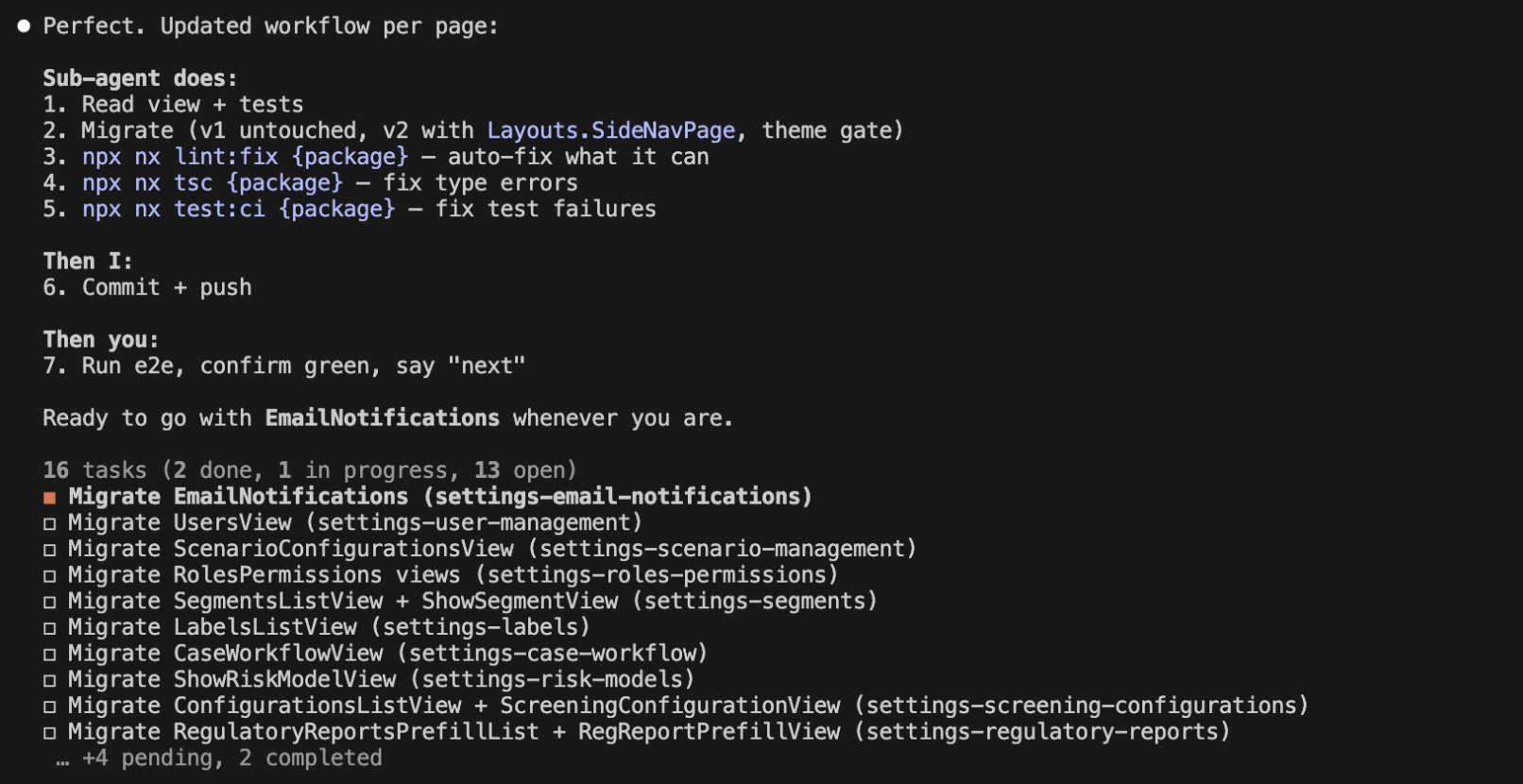
The sub-agent handled the mechanical checks, I kept ownership of what shipped. Every page followed the same rhythm.
Why worktrees
All work happened in a git worktree — here .claude/worktrees/FED-3239. Worktrees give you a separate working directory on a different branch, without touching your main checkout. For AI-assisted work, this matters more than usual.
Claude Code sessions are scoped to a directory. Every sub-agent spawned from our session worked against the same isolated branch — no risk of conflicting with other work on main. And because the worktree is a full copy of the repo, lint, type-checking, and tests all run normally.
The practical benefit: if something urgent came up, I could spin up a new session on a new worktree for a different task — without disrupting the migration in progress. When I came back, claude --resume picked up exactly where I left off.
In practice
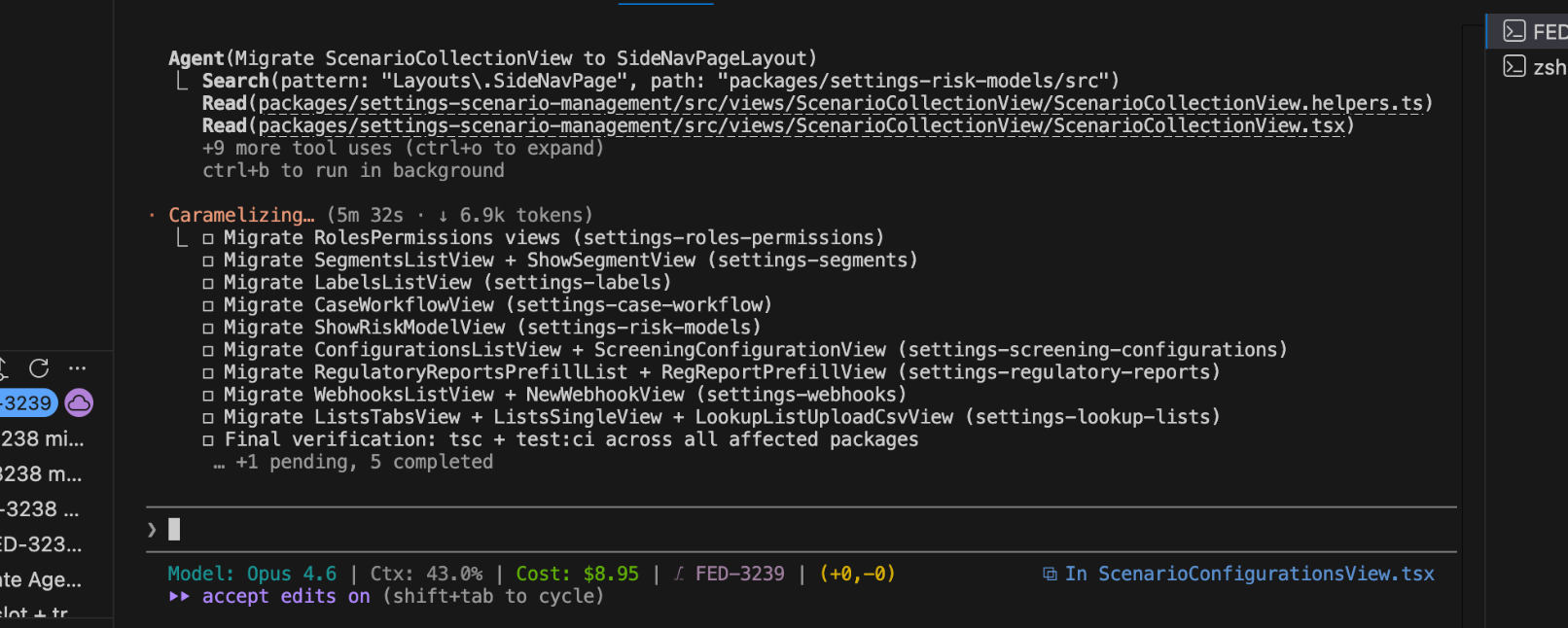
Each migration was a sub-agent spawn. Claude read the recipe, read the view code, made the changes, ran the verification pipeline (lint → tsc → test), and reported back. While one page's CI ran, the next sub-agent was already working — no idle time.
What We Learned Along the Way
Rate limits and the worktree resume gotcha
We hit Claude's API rate limit mid-migration. The session paused — but offered a session ID to resume later.
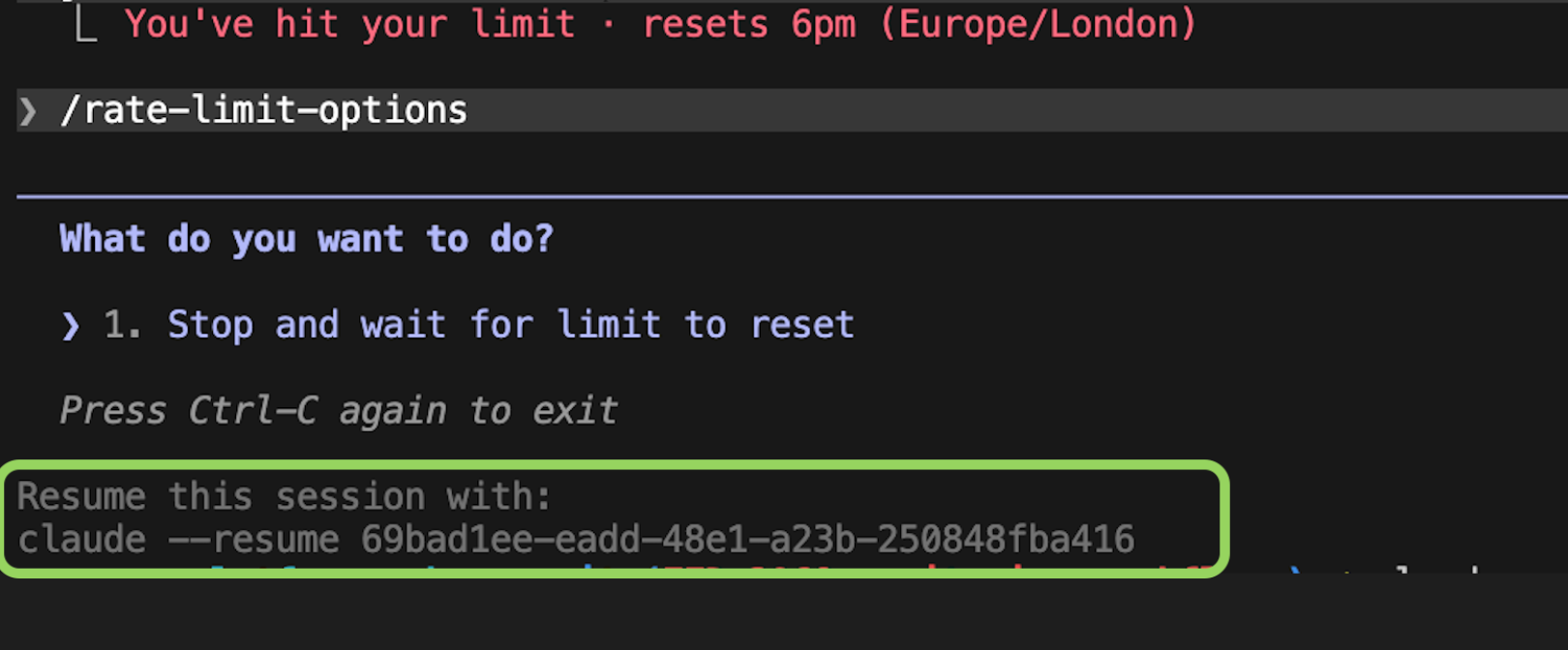
When we tried to resume, it didn't work.

Turns out, claude --resume looks for sessions scoped to your current working directory. If your session ran in a worktree, you need to cd into that worktree first.
Bonus tip: when using claude /resume, press Cmd + W to list all worktrees — handy when you have multiple branches in flight.
The unglamorous bits
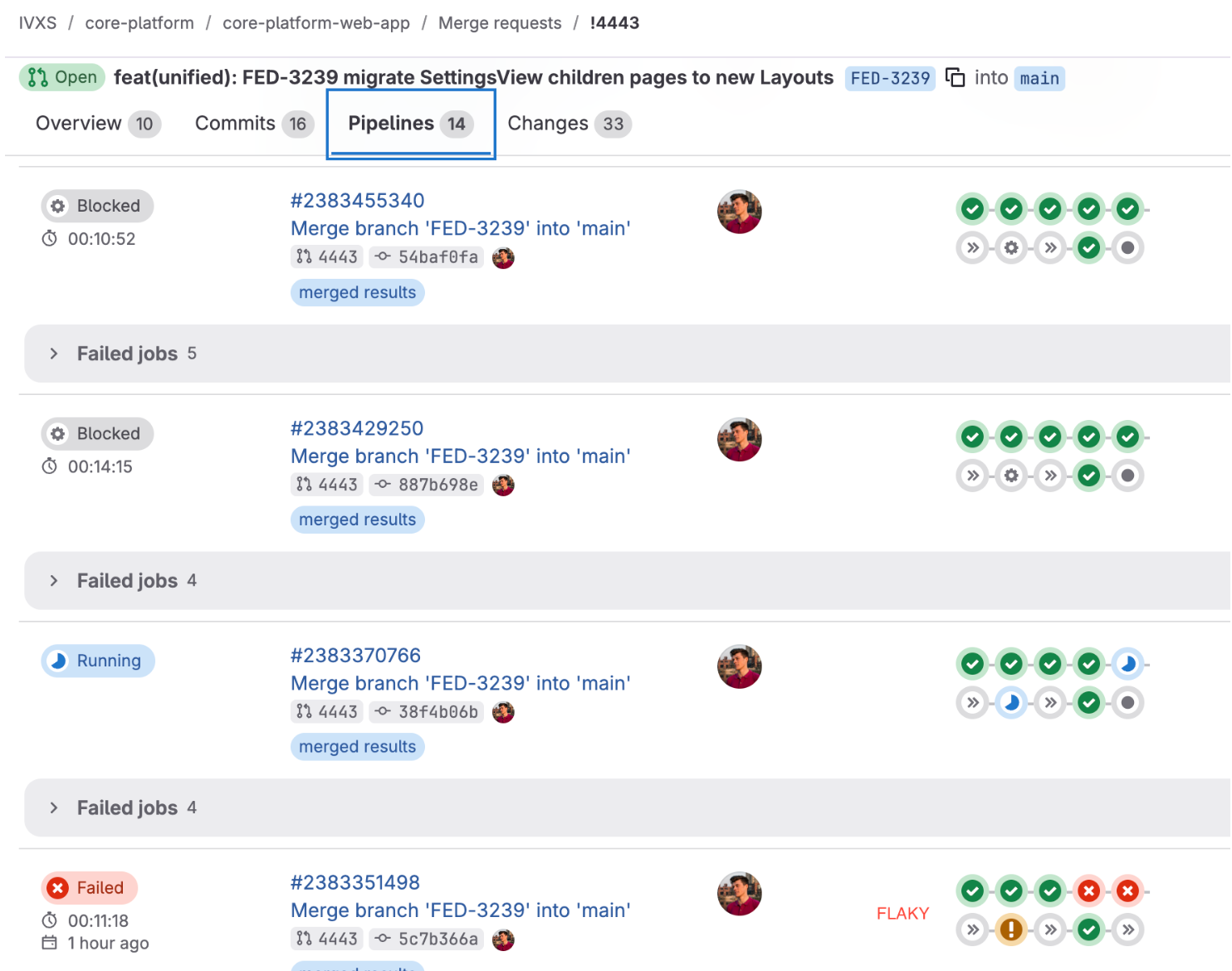
With 23 pages and a full e2e suite running for each batch, flaky tests were inevitable. Some pipeline runs failed for reasons entirely unrelated to our changes - you need patience and the ability to distinguish signal from noise.
Before merging, SonarQube flagged a handful of redundant type assertions the sub-agent had introduced — unnecessary `as` casts where the type was already correct. Not a big deal, but worth catching before merge.
Takeaways
Write the recipe from real migrations, not upfront guesses. We migrated two pages by hand first. Those two attempts revealed the actual edge cases — i18n context issues, hook ordering, theme gate placement. The recipe we wrote from that experience was accurate. A recipe written before touching the code would likely have missed half of it.
Negotiate the workflow once, then protect it. The "sub-agent does lint/tsc/test, human commits and runs e2e" contract eliminated decision fatigue. Every page followed the same rhythm. When we were tempted to change it mid-stream ("should we also have the sub-agent run e2e?"), we evaluated the trade-off properly instead of improvising.
Worktrees, parallel CI, and the quality loop are force multipliers. Worktrees kept the main branch clean across sessions. Starting the next migration while CI ran on the previous one eliminated idle time. And SonarQube + code review caught what the sub-agent couldn't — redundant casts, duplicate functions — which is why the quality loop matters.
The Result
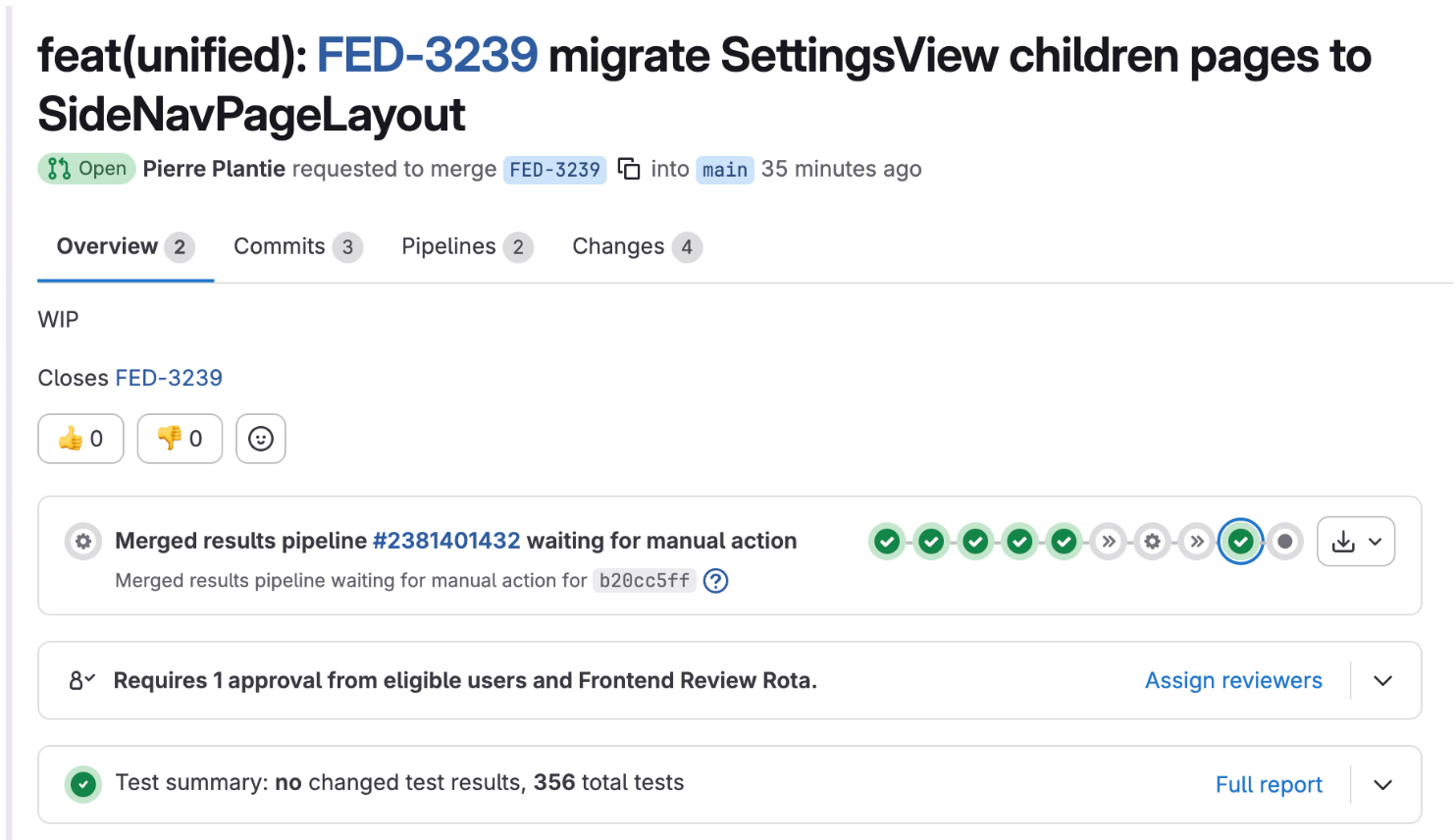
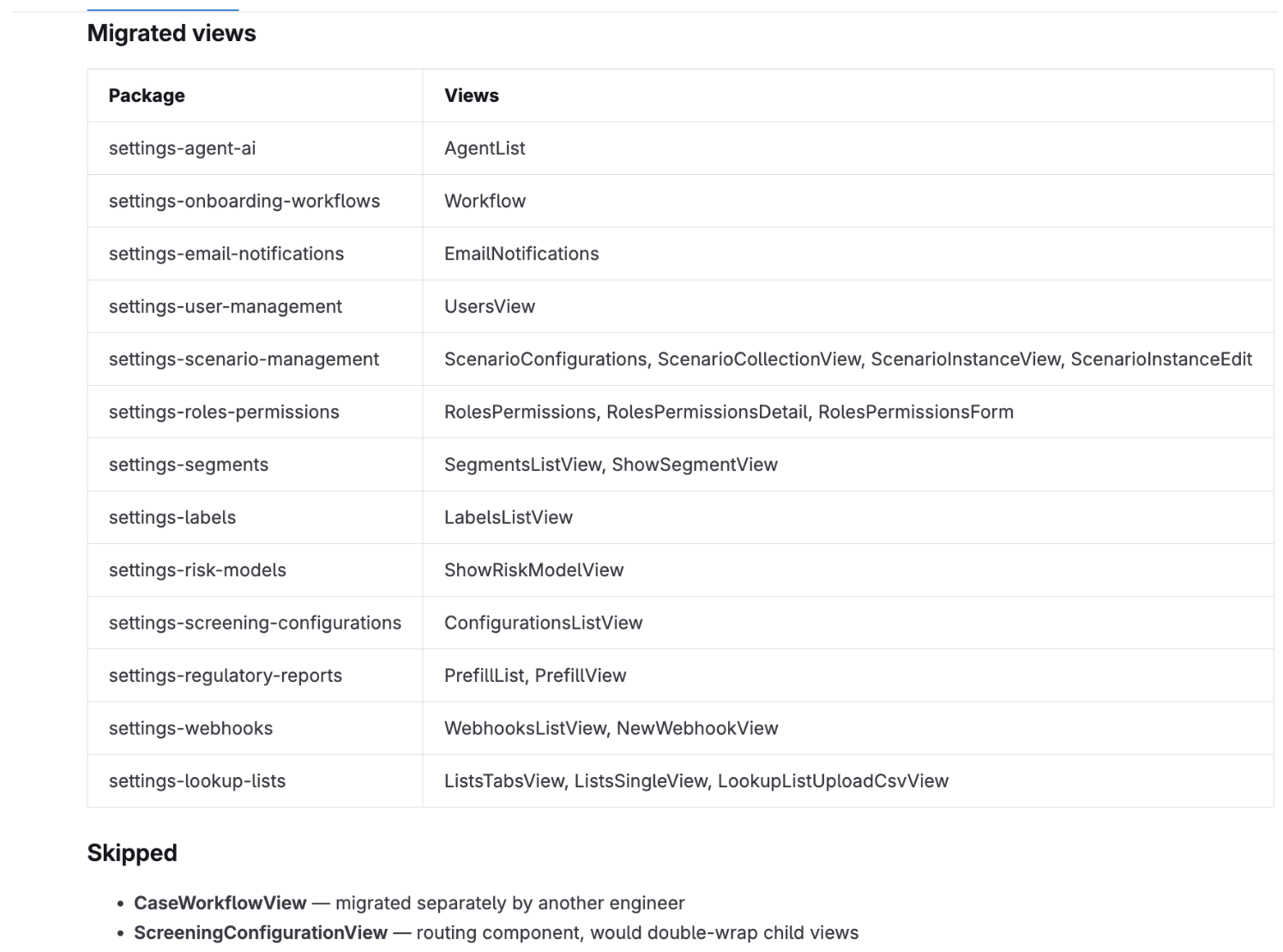
Within the 48-hour timebox, we migrated 23 of the 25 identified pages across 14 packages. Two were intentionally skipped — one already owned by another engineer, one requiring deeper investigation. 356 tests passing. With the layout migration handled, engineers across teams could focus on migrating the actual components within each page — the parts that require design judgement and domain knowledge — rather than spending time on the mechanical layout wrapper.
The workflow wasn't about replacing engineering judgement — it was about getting the "boring" stuff out of the way so we could focus on the decisions that mattered. The recipe encoded what we'd learned. The sub-agents executed it consistently. And the human stayed in the loop for the things that required context: committing, verifying e2e, catching edge cases, and knowing when to skip a page entirely.